
If you’re neurodivergent, an ADHD entrepreneur, or simply overwhelmed by all the things, you probably know the feeling: your to-do list is full, your brain is scattered, and just choosing the next step feels impossible. For me, this happens more often than I’d like to admit, like 6 – 7 times a day. (Yes, I did just say 6 – 7. I can hear my kids in the background.)
I’ve been working in productivity for years, and I still hit the wall sometimes.
For a long time, the Getting Things Done method (GTD) by David Allen sounded like a great idea. On paper, it was logical and promising. But in real life, it quickly became just another system I couldn’t keep up with realistically
So, like everything I do, I rebuilt it to fit my brain.
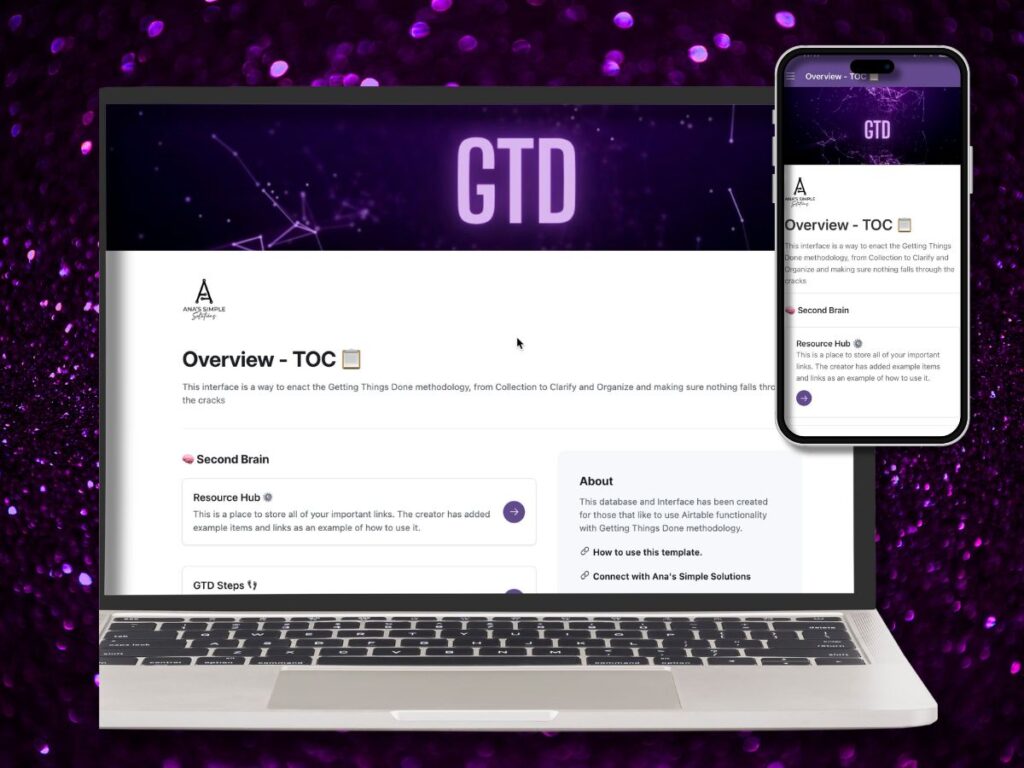
I created a version that functions the way I think and the way I work. So I built an Airtable GTD productivity system for those with ADHD.
(ClickUp fans, you’re not left out. I’ve built a version there too, and you can check it out on my YouTube channel or go straight to the template here ).
Why GTD Is Brilliant, But Also a Trap
Let me start with what I love about the GTD method:
- Capture everything from your brain into one trusted system
- Clarify what’s actionable and what’s not
- Organize by priority, context, and timelines
- Reflect and review regularly
- Engage with what matters most
All solid ideas. But here’s a catch.
GTD assumes a certain level of executive functioning power. It expects you to capture, categorize, tag, sort, review, and engage consistently, on top of everything else happening in your life and business.
AS. IF.
Have you SEEN my life lately?
- For neuro-spicy folks, this often leads to:
- Capturing everything, but never reviewing it
- Getting stuck naming the task, let alone clarifying it
- Avoiding the system altogether because it feels too heavy
I needed something more forgiving, more visual, more flexible, and definitely more personal.
My Personal Productivity Evolution
I’ve cycled through dozens of systems: bullet journals, task apps, sticky notes, and digital planners. (Honestly, I still use them, but more to assist my organization method instead of constantly changing it) My executive function challenges made it clear that if I don’t externalize my brain, I stall.
(I call this “spinning” where my brain does backflips but doesn’t actually get anything done)
Through years of trial and error, and a lot of late nights fixing what I forgot until the deadline was tomorrow morning, I found two simple rules that transformed how I work:
- Have only one place to put everything
- Decide what to do with them only once when I have focus and clarity
These two shifts made me more consistent and more reliable. They allow me to use my executive function when I actually have it, not at 9 PM when the panic kicks in.
Why I use Airtable for this
Airtable is one of my favorite tools for organizing my to-do lists for the following reasons:
- It’s cloud-based and available on desktop and mobile, so accessible wherever I am
- Visually organized in ways that help create context instantly
- Customizable without needing to code (WINNER)
- Structured but uncluttered, which is ideal for overwhelmed brains
- It’s like having the ability to create your own app and view it the way YOU want to (like if you hate spreadsheets… I SEE YOU)
That made Airtable the perfect home for my reimagined GTD system.
What I Built: The Airtable GTD Template
I created this template for myself, but once I shared it, others saw how powerful it could be for business, life, or both.
These are the steps I “adjusted” from the original system for my own purposes.
Step 1: Capture Everything
Brain dump your thoughts, ideas, and to-dos into one Inbox. There’s no pressure to organize right away. Just getting it out of your head frees up massive mental space.
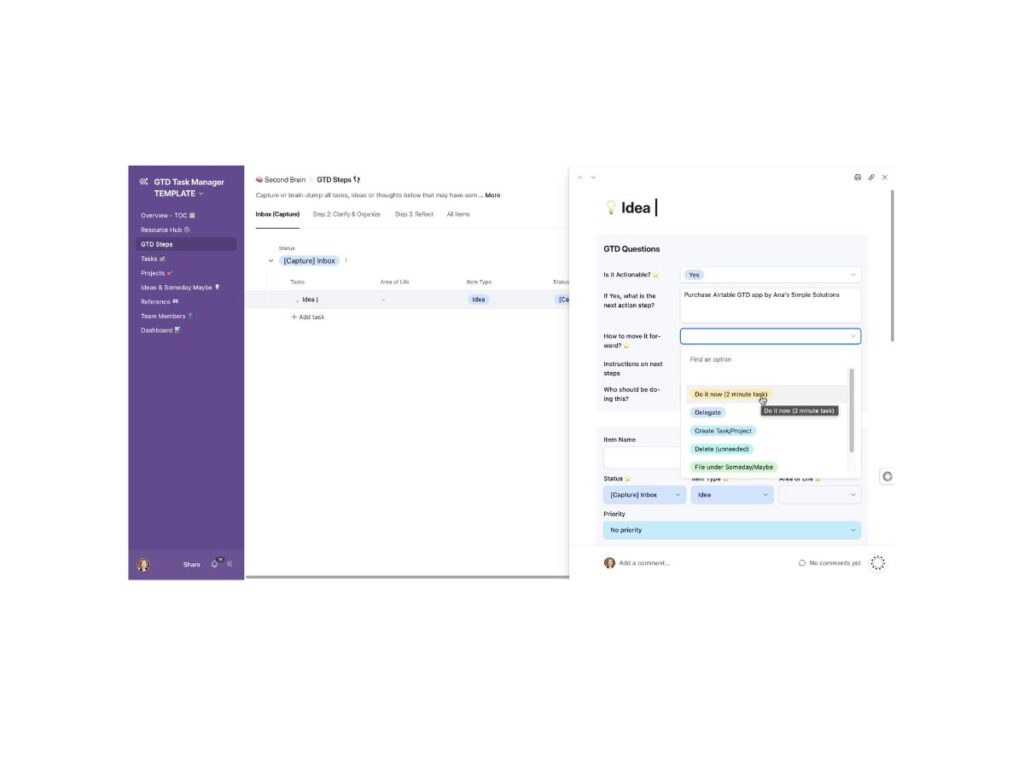
Step 2: Clarify with Prompts
When you’re ready, the system guides you through simple questions so you don’t have to executive function through it yourself.
Questions like:
Is it actionable?
What’s the next step?
Does it belong to a project?
Should it be saved for later or moved to reference?
These prompts help turn vague thoughts into clear next steps without draining your brainpower.
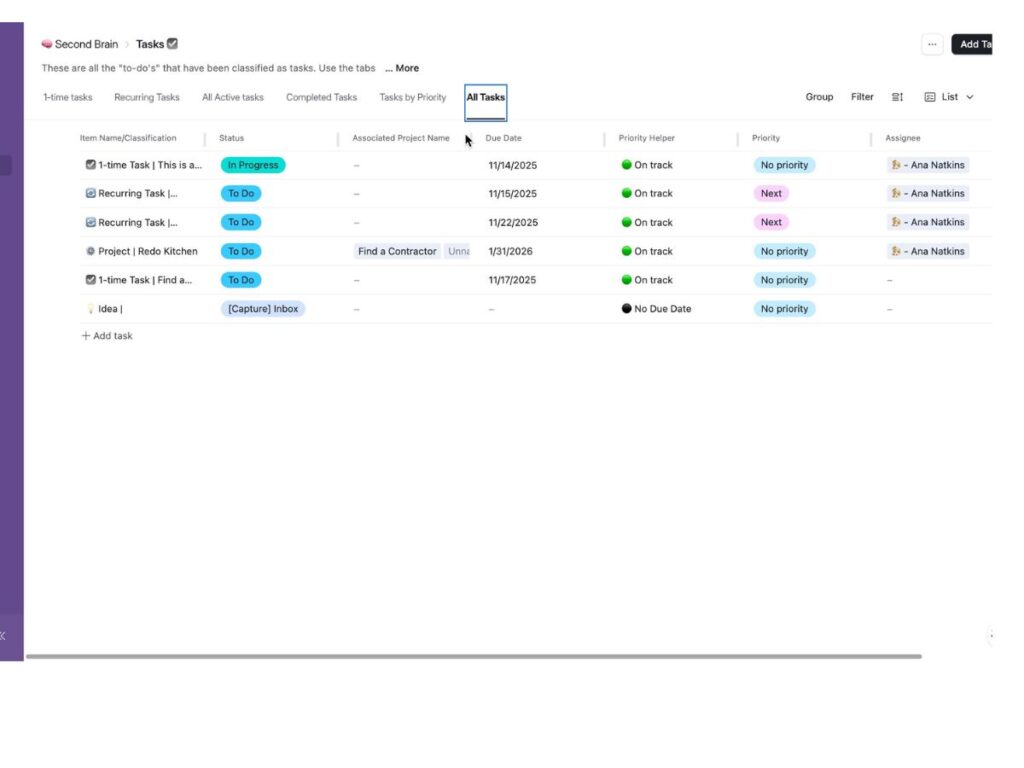
Step 3: Organize Without Overthinking
Tasks automatically sort based on your answers. You can view them by:
Status ( To Do, In Progress, Done)
Type (One-off, Repeating, Project)
Category (Work, Personal, Admin, etc.)
Layout (List, Kanban, Gallery, whatever works for you)
It even supports recurring tasks without requiring paid automations.
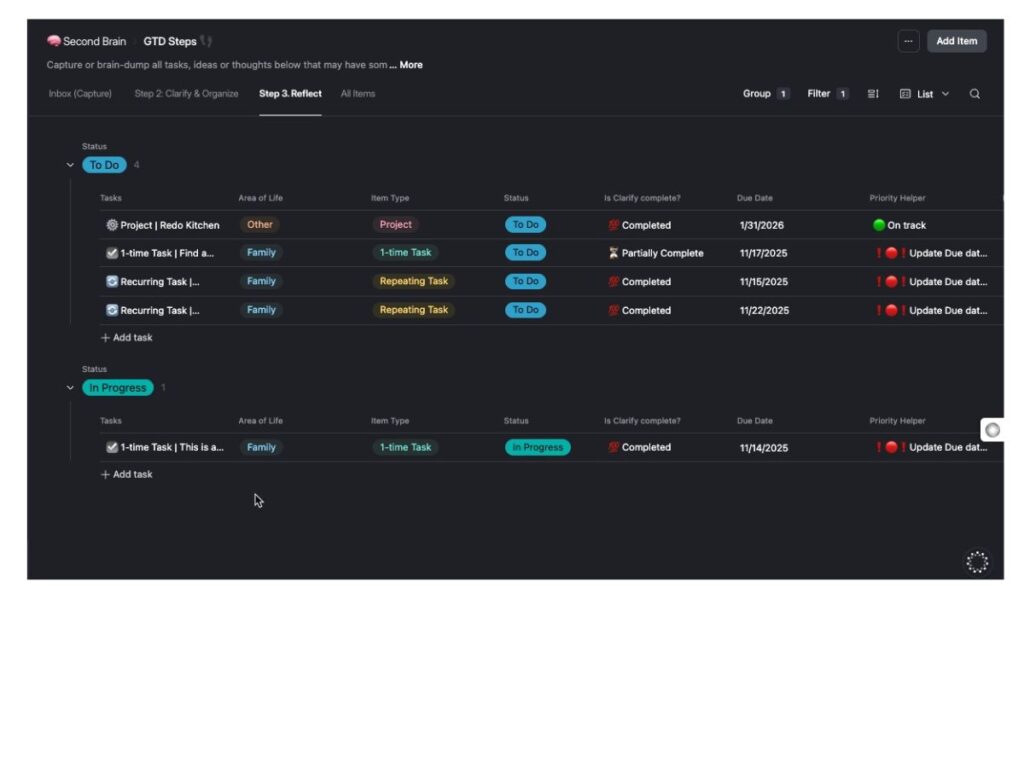
Step 4: Reflect Weekly (No Guilt Required)
The Reflect section helps you see what’s overdue, what’s on track, and what needs attention. There’s also a built-in priority helper so I (you) can sort by energy level or urgency, not just what feels loudest.
 Bonus: Subtasks and Project Linking
If you need to break a task into even smaller steps? You can do that inside the task itself. Managing a bigger project like “Launch My New Offer”? Just link the related tasks.
Everything stays connected and streamlined without turning your system into another job.
Who This Is For
Me
Also… this ADHD template system for ADHD individuals is for you if:
You’ve tried GTD before and it didn’t stick
You get overwhelmed by cluttered or never-ending lists… honestly, who isn’t???
You want one place for business, personal, and “someday” tasks.
You need visuals to jump-start your brain, not just lists of words
You’re managing ADHD, burnout, or executive dysfunction for ANY reason
And Yes, It Works on the Free Plan
No pro account needed to get started with this. Everything runs beautifully on Airtable’s free plan. If you want to add automations, dashboards, or advanced features, the template is just a starting place and meant to grow with you.
Final Thoughts
A productivity system shouldn’t add pressure or require you to remember anything beyond just trying to get your things done. It should reduce friction, quiet the chaos, and help you trust your brain again.
My Airtable GTD system is designed to support your workflow without overwhelming it.
If you’re looking for a system that finally feels doable, I’d love for you to try it and let me know how it works for you.
[Get the Airtable GTD Template here] Includes video walkthroughs and a full setup guide and works on your laptop AND mobile device. You just need an Airtable Account.
Looking to learn more?
Check out these blogs:
GTD for ADHD brains, a flexible system you can actually stick to 👈
Why ADHD Founders Need Process Mapping 👈
Favorite tools for digital organization with ADHD 👈